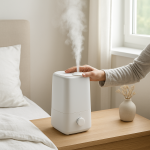
Dehumidifier Making Loud Noise? Common Causes & Fast Fixes
Quick Answer (Most Likely Cause)
The most common cause of a suddenly loud dehumidifier is vibration transfer from a loose housing panel, mis-seated water tank, or the unit sitting unevenly, which amplifies normal fan or compressor sound. First step: power it off, reseat the bucket fully, then set the unit on a solid level floor and confirm nothing is touching the cabinet. If you smell burning, feel excessive heat, or the unit repeatedly shuts off, stop using it and unplug it.
Identify the Noise First
Pinpoint when the noise happens. Timing tells you whether it is mainly vibration, airflow restriction, a tank seating issue, or a motor problem.
Right when the compressor starts: a brief thump or loud momentary rattle usually points to cabinet vibration, a loose panel, or the unit rocking on the floor.
Only while the fan is running: buzzing, drumming, or a plastic rattle often comes from a loose grille, filter frame not seated, or the cabinet touching a wall or furniture.
After moving the unit: new rattles are commonly a shifted bucket, a loosened screw, or the base no longer sitting flat. Vibration transfer is the first suspect.
When removing or reinstalling the tank: a clack, rattle, or vibration that changes with bucket position points strongly to bucket fit, float interference, or bucket not fully latched.
Continuous hum that seems louder than before: first confirm it is not normal motor noise being amplified by a loose housing or restricted airflow forcing higher load.
Quick isolation test: with the unit running, lightly press on different cabinet areas (top, sides, front grille) without blocking airflow. If the noise changes immediately, you are dealing with vibration transfer or a loose housing component, not a failing compressor.
What This Noise Usually Means
A dehumidifier always produces vibration from the fan and compressor. When the cabinet, bucket, filter door, or base is slightly loose or misaligned, that normal vibration turns into a loud rattle, buzz, or drumming sound. The loudness is not always the motor getting worse. In the field, most loud-noise complaints trace back to vibration being amplified by poor contact points: a panel flexing, a bucket vibrating in its cradle, a grille tapping, or the unit rocking and transferring vibration into the floor.
Most Common Causes (Ranked by Probability)
Water tank not fully seated or latch not engaged
What happens: the bucket vibrates against its rails or the shutoff float area, turning normal vibration into a rattle.
Sound profile: hollow rattling or clacking, often changes when you touch the bucket.
Clue: noise reduces when you push the tank inward or lift it slightly.
Unit not level or rocking on the floor
What happens: the cabinet twists slightly; vibration transfers into the base, then into the floor like a speaker.
Sound profile: low drumming, buzzing, or a louder-than-normal hum.
Clue: noise changes if you nudge a corner or move the unit a few inches.
Cabinet touching a wall, baseboard, furniture, or the drain hose pulling on it
What happens: vibration couples to another surface, amplifying sound dramatically.
Sound profile: loud buzzing or resonant hum that seems to come from the room, not the unit.
Clue: noise drops when you pull the unit 2 to 6 inches away from surfaces.
Loose outer housing panel or fastener (no internal disassembly required to suspect)
What happens: a panel edge or grille vibrates at a certain fan speed or compressor load.
Sound profile: plastic rattle or tinny buzzing that stops when you press on a specific spot.
Clue: sound is very localized; hand pressure changes it immediately.
Filter frame not seated or front grille not clipped in
What happens: the frame taps the housing from airflow turbulence and vibration.
Sound profile: fluttering, tapping, or buzzing at higher fan speeds.
Clue: recent filter cleaning or replacement preceded the noise.
Airflow restriction increasing vibration and load (dirty filter or blocked intake)
What happens: restricted airflow can make the fan work harder and increase cabinet vibration, which then becomes audible as buzz or drumming.
Sound profile: louder rushing air plus vibration; may sound strained on high speed.
Clue: weak airflow at the outlet, dusty filter, or intake pressed too close to a curtain.
Internal fan imbalance beginning (after vibration and airflow checks)
What happens: dust buildup or a slightly warped fan blade creates rhythmic vibration that the housing amplifies.
Sound profile: repeating wobble, thrum, or light ticking that follows fan speed.
Clue: noise is strongest on one fan setting and persists even when bucket and panels are confirmed solid.
True electrical-source hum versus vibration amplifying normal motor noise
What happens: a real electrical hum is steady and can occur without a rattling cabinet, but most perceived electrical hum is normal motor noise being amplified by loose panels or floor resonance.
Sound profile: true electrical hum is smooth and constant; vibration-amplified hum often changes when you press the cabinet or move the unit.
Clue: if pressing the housing changes the hum, it is vibration transfer. If it does not change and is paired with poor performance or overheating, service is indicated.
How to Check Safely
Power off, then reseat the tank: remove the bucket, check for obstructions on the rails and around the float area, then reinstall firmly until it sits flush. Restart and listen for change.
Confirm a solid, level placement: place the unit on a hard, flat floor. Avoid thick carpet that lets it rock. Gently push on corners to confirm it does not wobble.
Increase clearance: keep the intake and outlet clear. Pull the unit away from walls and furniture. Ensure a drain hose is not tugging on the cabinet.
Check the filter and grille seating: remove the filter, clean it per manufacturer guidance, and reinstall so it sits square with no gaps. Ensure the front grille or filter door is fully clipped.
Listen for vibration points: with the unit running, lightly press on the top and side panels. If noise changes, you have confirmed vibration transfer. The fix is usually reseating the bucket, correcting placement, or ensuring the filter/grille is clipped tight.
Perform a basic power reset: unplug for 5 minutes, then restart. This will not fix loose parts, but it can clear control glitches that cause cycling that sounds like repeated thumps.
If the dehumidifier is hot to the touch beyond normal warmth, has a burning smell, repeatedly shuts off, or stops collecting water while making a louder hum, stop and unplug it. Do not continue running it to see if it settles out.
Normal Operating Sound vs Warning Signs
✔ Normal fan airflow: steady whoosh of air with mild vibration. Sound is consistent and does not include sharp rattles.
✔ Normal compressor hum: low smooth hum that is steady after startup. A brief change in tone when it cycles is normal.
✔ Normal startup change: a short thump as the compressor starts can be normal, but it should not become a repeated rattle.
⚠ Warning rattling: sharp plastic clatter or buzzing that changes when you touch the bucket or cabinet. Usually a seating or loose-housing issue that should be corrected to prevent wear.
⚠ Warning grinding or scraping: metal-like scrape, grinding, or a rising squeal, especially tied to fan speed. This suggests fan contact or bearing wear and needs service.
⚠ Overheating smell or electrical odor: stop immediately and unplug.
⚠ Failure to collect water with loud hum: after cabinet, tank seating, and airflow checks, this combination can indicate a refrigeration or compressor problem requiring professional diagnosis.
⚠ Motor stall symptoms: repeated starting sounds, pulsing hum, or fan that struggles to spin with minimal airflow. Stop and arrange service.
Repeated shutdown or short-cycling: unit turns on and off frequently with loud thumps or hum.
Persistent loud compressor hum that does not change when you press the cabinet: more consistent with true source noise or internal mechanical issue, not vibration transfer.
Grinding, scraping, or squealing: likely fan or motor wear.
Water leakage: especially if it begins alongside new vibration, indicating the bucket is not seating or the unit is tilted.
Overheating or electrical smell: unplug and do not run the unit.
Not functioning: little to no water collection in normal conditions, especially paired with abnormal noise.
How to Prevent This Problem
Keep the unit level and stable: hard floor preferred; avoid uneven surfaces that let the cabinet rock.
Maintain clearance: keep intake and outlet open; do not let curtains or furniture touch the housing.
Clean and reinstall the filter correctly: make sure the filter frame is fully seated and the grille clips are engaged.
Reseat the bucket every time you empty it: push it in until it sits flush and stable.
Move it carefully: set it down gently and re-check bucket seating and panel fit after moving.
Keep the drain hose relaxed: avoid hose routing that pulls sideways on the cabinet.
Wipe contact points: dirt on bucket rails or the bucket cradle can create a small gap that rattles.
Related Air Treatment Noise Problems
Loud only on high fan speed: often grille or filter frame vibration, or airflow restriction increasing cabinet resonance.
Buzzing started right after cleaning the filter: filter not clipped fully or door/grille not seated square.
Rattling started after moving rooms: bucket shifted, unit now rocking, or cabinet touching a wall.
Humming but no strong airflow: likely restriction at intake or filter; vibration may be amplified by the loaded fan.
Noise changes when you touch the bucket: bucket seating or float interference is likely.
Sudden new drumming on a hard floor: unit is coupling vibration into the floor; reposition and level it.
Light ticking that follows fan speed: early fan imbalance or something lightly contacting the fan path, needs service if it persists after airflow and seating checks.
Loud hum but it still removes water normally: commonly vibration transfer through a loose panel or the unit touching another surface.
Clack when compressor starts: often normal start vibration made loud by cabinet looseness or an unseated bucket.
Rattle only when the bucket is nearly full: bucket shifting or float area vibration, confirm stable seating and no obstruction.
Conclusion
Most loud dehumidifier noise complaints are vibration transfer problems: the bucket is not seated, the cabinet or grille is loose, or the unit is rocking or touching another surface. Start with the safest high-probability checks: reseat the tank, level the unit on a solid floor, increase clearance, and confirm the filter and grille are fully seated. If the noise is grinding, accompanied by overheating smell, repeated shutdown, or poor water removal, stop and schedule service.
Frequently Asked Questions
Can a dehumidifier be loud but not broken?
Yes. In service calls, the most common reason is normal motor vibration being amplified by a loose bucket, loose grille, or the unit touching a wall. If pressing on the cabinet changes the sound, it is usually vibration transfer, not an electrical failure.
Is a loud hum an electrical problem?
Not usually. A true electrical-source hum tends to be steady and unchanged by pressing on the cabinet. Most loud hum complaints are vibration amplifying normal compressor or fan noise. Rule out bucket seating, loose panels, and airflow restriction before suspecting electrical issues.
What is a safe temporary way to reduce vibration noise?
Reseat the bucket firmly, pull the unit away from walls, and place it on a hard level surface. If it is on thin carpet and rocking, relocating it often reduces noise immediately. Do not run it if there is overheating or an electrical smell.
Repair or replace: when is a noisy dehumidifier not worth fixing?
If the noise is confirmed to be internal grinding or a persistent loud compressor sound that does not respond to seating and placement corrections, the repair can be uneconomical on older units. Loose housing, bucket fit, and filter/grille issues are usually worth addressing because they are low-cost fixes.
How urgent is it if it is rattling but still collecting water?
Moderately urgent. A rattling dehumidifier often means something is vibrating loose, which can accelerate wear over time. Correct bucket seating, level placement, and clearance as soon as possible. If the noise escalates to grinding, the unit overheats, or it starts shutting down, stop and schedule service.
That sinking feeling has a way of shrinking when the facts stop circling your head like a bored cat. The room gets quieter, the options stop multiplying, and the whole thing feels less like a puzzle with missing pieces.
There’s a plain, almost satisfying order to it now. No grand gestures—just the sense that the noise finally agrees to move aside.