Dehumidifier Loud After Moving? Setup Mistake Or Hidden Damage?
Quick Answer (Most Likely Cause)
Most cases are not a failed compressor. After a move, the compressor and refrigerant oil can shift, and normal compressor vibration gets amplified by a slightly twisted cabinet or an unlevel floor. First step: set the unit on a hard, level surface with clearance, reseat the bucket, and let it sit unplugged upright for 12–24 hours if it was tipped. Stop and unplug if you smell burning, feel excessive heat, or the unit repeatedly shuts off.
Identify the Noise First
Correct diagnosis depends on when the noise happens and what action triggers it.
Noise starts right when the compressor kicks on (often 3–10 minutes after power-up): points to compressor settling after transport or vibration transfer into the cabinet/floor.
Noise is immediate the moment the unit is turned on and changes with fan speed: more likely airflow restriction, a loose housing panel, or a fan issue, not internal refrigerant shift.
Noise gets worse after moving the bucket or pressing on the front panel: bucket not seated, float rubbing, or cabinet resonance from misalignment.
Continuous low hum even when humidity is satisfied or compressor should be off: could be vibration amplifying normal motor noise, or a control issue, but rule out cabinet contact and leveling first.
Rattle only when the unit is rolled across the floor or right after repositioning: loose screws, shifted internal components, or the unit is sitting on something uneven.
Airflow noise like a deep whoosh or whistle with reduced air volume: airflow restriction or filter blockage; the compressor may sound louder simply because the unit is working harder and cabinet vibration increases.
Before assuming electrical failure, decide whether you are hearing true electrical source hum (steady, tone-like buzz from the power/control area) or vibration amplifying normal motor noise (noise changes when you press the cabinet, change surface, or slightly shift the unit).
What This Noise Usually Means
After moving, a dehumidifier can become loud because the refrigerant oil inside the compressor and refrigerant distribution in the system are temporarily out of their normal resting positions. When the compressor starts, it may run rougher for a period, and its normal pulsation can transmit more strongly into the frame. If the cabinet is slightly twisted from being carried by one side, or if the unit is no longer level, that vibration becomes a loud hum, drumming, or buzzing through the housing and floor.
This is primarily a compressor settling and vibration transfer issue. It often improves after the unit sits upright and runs through normal cycles. It becomes a service concern when the loudness persists, the compressor struggles to start, or performance drops (little to no water collected despite correct conditions).
Most Common Causes (Ranked by Probability)
Unit was transported tipped or laid down and restarted too soon
What happens: compressor oil shifts away from where it normally lubricates and dampens vibration; refrigerant distribution is unsettled.
Sound profile: louder-than-normal compressor hum, drumming, or a rough running sound that starts when the compressor engages.
Clue: noise began immediately after the move; unit was on its side in a car or tilted up stairs; may improve after sitting upright 12–24 hours.
Cabinet twist after carrying, causing vibration transfer
What happens: compressor vibration couples into a panel, base, or internal bracket that is now touching or preloaded.
Sound profile: buzzing or resonant hum; changes when you press on a side panel or top.
Clue: noise decreases when you apply gentle pressure to the housing or when moved to a different surface.
Unlevel placement or soft flooring amplifying normal compressor noise
What happens: the base does not sit flat; vibration excites the floor (especially hollow wood) like a speaker.
Sound profile: low-frequency rumble or drumming; often louder in one part of the room.
Clue: quieter on tile or concrete; louder on wood, laminate underlayment, or a flexible shelf/stand.
Loose housing screws or shifted plastic trim after movement
What happens: panels chatter against each other when the compressor starts.
Sound profile: rattle or rapid buzzing synchronized with compressor operation.
Clue: noise changes if you slightly pull the bucket out and reinsert it or if you hold the panel lightly.
Airflow restriction increasing load and making compressor sound harsher
What happens: reduced airflow across the coil affects operating pressures; compressor may sound louder and the cabinet vibrates more.
Sound profile: louder compressor hum plus stronger airflow hiss or whistle.
Clue: filter dirty, coil linty, or intake/exhaust too close to a wall; reduced air output.
Bucket not seated, float rubbing, or reservoir switch chattering
What happens: bucket edge, float, or switch arm contacts the housing and vibrates.
Sound profile: plastic buzz or intermittent clicking/rattle; may occur when you touch or remove the bucket.
Clue: noise changes with bucket position; bucket full light flickers; unit stops unexpectedly.
Fan imbalance from shifted debris after moving
What happens: debris moves into the blower wheel or fan blade; imbalance vibrates the cabinet and can be mistaken for compressor noise.
Sound profile: thrumming, ticking, or wobble sound; usually present whenever the fan runs.
Clue: noise occurs even before the compressor starts; changes with fan speed if adjustable.
Compressor internal mount wear revealed by transport shock
What happens: rubber mounts or internal suspension no longer isolates vibration; transport jolts can worsen an already weak mount.
Sound profile: persistent loud hum that is difficult to reduce by changing surfaces; may include knocking on start/stop.
Clue: new loudness stays after 24 hours upright and several cycles; vibration feels strong through the cabinet.
How to Check Safely
Let it rest upright if it was tipped: unplug and keep upright for 12–24 hours, then retry. This addresses compressor oil/refrigerant settling after moving.
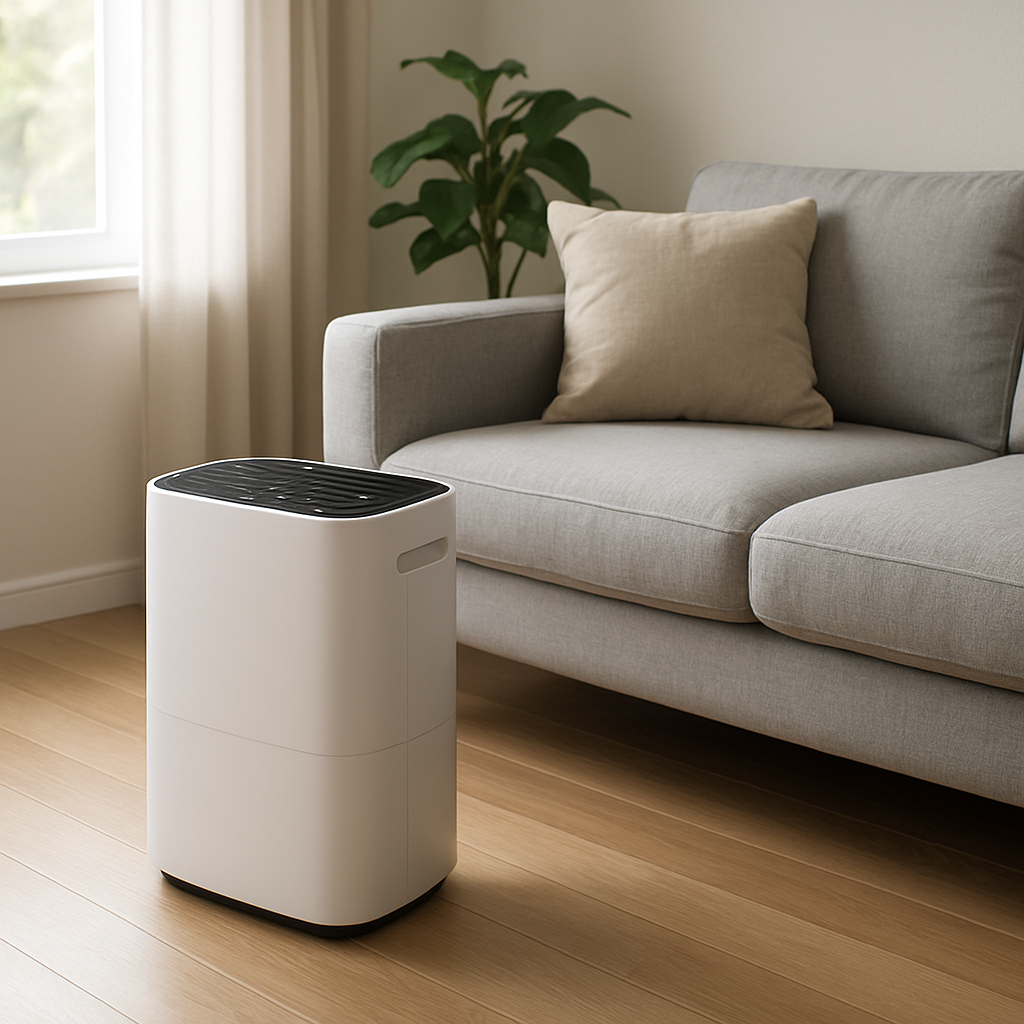
Move to a hard, level surface: avoid carpet, hollow shelving, or uneven boards. If the noise drops sharply on tile/concrete, you are dealing with vibration transfer, not an electrical hum.
Level and stabilize: ensure all feet contact the floor. Do not wedge the unit tightly between furniture where the cabinet touches and resonates.
Check clearance: maintain at least 12–18 inches around intake and discharge (or per your model). Restricted airflow can make the compressor sound rough and increase vibration.
Inspect and clean the air filter: remove the filter, clean per manual, reinstall fully seated. A filter that is bowed or not seated can whistle and also reduce airflow.
Reseat the bucket: slide it in firmly, confirm it sits flat, and verify the float moves freely (no rubbing). If noise changes when you press the bucket inward, it is a seating/contact issue.
Quick vibration test: while it is running, apply light hand pressure to the top/side panel. If the sound changes significantly, the noise is vibration resonance, not pure electrical hum.
Power reset: unplug for 5 minutes, then restart. If the unit uses a compressor, allow 3–10 minutes for normal delayed restart.
If the unit becomes very hot to the touch around the compressor area, smells like burning or melting plastic, trips a breaker, or repeatedly shuts off, unplug and stop troubleshooting.
Normal Operating Sound vs Warning Signs
✔ Normal fan airflow: steady whoosh of air. Increases smoothly with speed. No rattling.
✔ Normal compressor hum: a low to mid hum that starts after a short delay. Mild vibration is normal, especially on hard floors.
✔ Normal cycling: slight change in tone when the compressor starts or stops; brief refrigerant movement sounds can occur during transitions.
Warning: rattling or buzzing that changes when you touch the cabinet: indicates vibration transfer, loose panel contact, or bucket/float contact that should be corrected.
Warning: grinding, scraping, or ticking that matches fan speed: suggests fan contact/imbalance rather than compressor settling.
Warning: loud knocking on compressor start/stop: can indicate mounting issues or persistent internal compressor roughness after moving.
Warning: overheating smell or electrical odor: stop and unplug.
Warning: very loud compressor plus little or no water collected: points to abnormal operating conditions after moving (possible restricted airflow, incorrect setup, or damage). Confirm airflow and room conditions; if still no collection after several hours, service may be needed.
Warning: motor stall symptoms: repeated start attempts, chattering, or rapid cycling with little runtime is not normal and should not be ignored.
When Professional Service Is Recommended
Compressor remains abnormally loud after 24 hours upright and after verifying level placement, clearance, filter, and bucket seating.
Repeated shutdowns (overload cycling), frequent clicking, or the unit struggles to start and stops quickly.
No water collection after 8–12 hours in appropriate humidity conditions, with solid airflow and correct settings.
Water leakage that started after moving, especially if it is not from an obviously misseated bucket.
Overheating or odor that suggests electrical or insulation stress.
Noise is clearly internal and metallic (knock/grind) and does not change with surface, leveling, or light cabinet pressure.
How to Prevent This Problem
Transport upright whenever possible: if it must be tilted, keep it upright again for 12–24 hours before powering on.
Drain and dry before moving: empty the bucket, remove standing water, and keep the unit from sloshing.
Protect the cabinet from twisting: carry from the base/handles, not by a top corner or side panel.
Place on a stable surface: hard, level flooring reduces resonance and prevents bucket/float misalignment.
Maintain airflow clearance: keep intake and exhaust away from walls, curtains, and furniture to prevent elevated noise and poor performance.
Clean the filter regularly: restricted airflow increases load and can make compressor operation sound harsher.
Reseat the bucket after every move: confirm the float moves freely and the bucket switch engages consistently.
Related Air Treatment Noise Problems
Loud only when the compressor starts, quiets down after 5–15 minutes
Buzzy cabinet hum that stops when you press on the side panel
Rattling that begins after the bucket is removed and reinstalled
Humming but weak airflow due to a clogged filter or blocked intake
New knocking sound at shutoff after relocating to a different room
Fan ticking noise after moving, caused by debris shifting into the blower area
Louder on wood floors than on tile, suggesting resonance not electrical failure
Whistling airflow after cleaning because the filter is not fully seated
Vibration against a wall because the unit is placed too close behind it
Compressor loud and unit collects little water after being transported on its side
Conclusion
A dehumidifier that becomes loud after moving is most often experiencing compressor settling combined with vibration transfer from an unlevel surface or slightly shifted cabinet. Start with the safe corrections: keep it upright unplugged for 12–24 hours if it was tipped, place it level on a hard surface, verify airflow clearance, clean the filter, and reseat the bucket. Persistent loud compressor noise after these checks warrants professional evaluation.
Frequently Asked Questions
How long should I wait to turn on a dehumidifier after it was moved or laid down?
If it was kept upright, a short wait is typically fine. If it was tipped significantly or laid on its side, keep it upright unplugged for 12–24 hours before restarting. This allows compressor oil and refrigerant distribution to settle and reduces rough, loud operation.
Is a loud hum after moving an electrical problem?
Often it is not. A true electrical source hum is a steady buzz that does not change when you press on panels or move the unit to a different surface. Vibration-amplified motor/compressor noise usually changes with leveling, floor type, cabinet pressure, or bucket seating. Rule out vibration transfer and airflow restriction before suspecting electrical failure.
What is the safest temporary way to reduce the noise tonight?
Place the unit on a hard, level floor with good clearance, ensure the bucket is fully seated, and clean/reseat the filter. If the unit was tipped during the move, the safest temporary mitigation is to leave it unplugged upright until the next day, then restart.
Should I repair or replace a dehumidifier if the compressor stays loud?
If loudness persists after the upright rest period and basic setup checks, and especially if water collection is reduced or the unit short-cycles, professional service is appropriate. Compressor-related repairs on small dehumidifiers can approach the cost of replacement depending on age and capacity. A technician can confirm whether it is mounting/vibration transfer versus true compressor damage.
How urgent is it if the unit is loud but still removes water?
If it is collecting water normally and there is no overheating smell, no breaker trips, and no repeated shutdown, it is usually not urgent. Continue with leveling and vibration checks. Urgency increases if the unit gets unusually hot, smells electrical, stops and starts repeatedly, leaks, or stops collecting water.
What’s left now is quieter than it looks: fewer mental loops, fewer re-checks, more room to breathe. The problem doesn’t vanish forever, but it stops taking up the spotlight.
There’s a relief in that—like setting down something heavy without announcing it. And somehow, the day feels more ordinary in the best possible way.