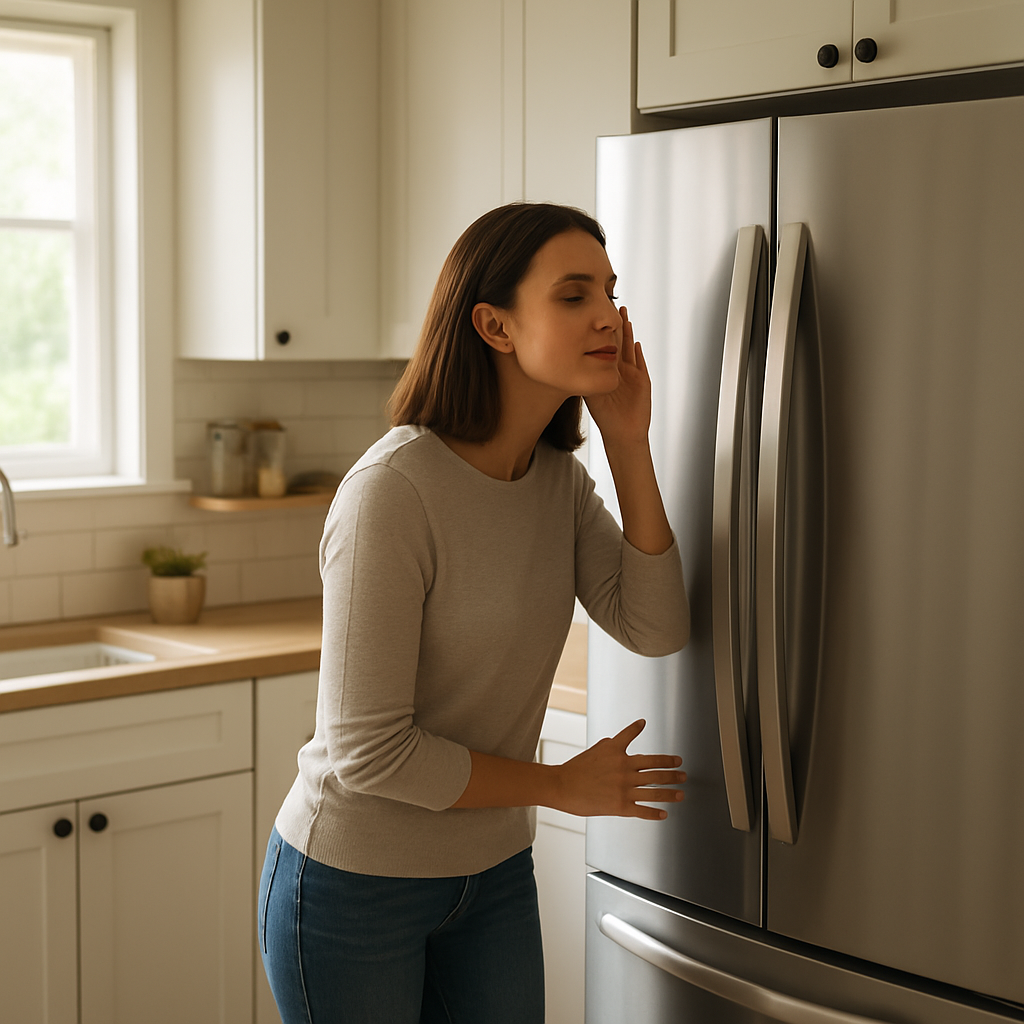
Freezer Making Loud Noise? Normal Or Warning Sign
Quick Answer
A freezer that suddenly sounds loud is most often the evaporator fan hitting ice buildup on the rear freezer panel or a vibrating fan shroud. First action: note exactly when the noise happens and open the freezer door during the sound. If the noise changes or stops with the door open, the issue usually involves the freezer fan/airflow area and should be checked for ice, obstructions, or loose panels.
Identify the Noise First
Use this quick timing guide to match the noise to the operating stage. Your goal is to identify whether the sound tracks with a fan, the compressor starting, or defrost activity.
- If the noise happens when the compressor starts: A brief hum followed by normal running is typical. A loud buzz, click, then silence that repeats points to a start problem, not a normal loud freezer.
- If the noise happens while the compressor is running: Suspect a fan (evaporator or condenser) or vibration/resonance. Fan-related noises usually have a steady pitch or a rhythmic scraping.
- If the noise happens right after the compressor stops: A short gurgle or whoosh is normal refrigerant equalizing. A loud clunk or rattle suggests mounting or tubing vibration.
- If the noise happens during defrost or shortly after: Cracking/popping from panels is normal. A loud sizzle plus water dripping is normal. A grinding that starts after defrost often points to ice shifting into the evaporator fan path.
- If the noise happens when the ice maker runs or fills: A short fill hiss and a brief motor cycle is normal. Repeated buzzing, loud chattering, or a long water hammer bang suggests a fill valve or supply issue.
- If the noise happens when the evaporator fan is running (freezer side): Open the freezer door during the noise. If it immediately stops or changes, you are likely hearing the evaporator fan area.
- If the noise happens when the condenser fan is running (rear/bottom, if equipped): The sound is strongest near the back lower area. It often changes if you pull the unit slightly away from the wall.
- If the noise is constant: Look for a continuously running fan (often caused by warm temps, poor airflow, dirty condenser, or a door sealing issue) or a mechanical fan bearing.
- If the noise is intermittent: Track the pattern. Every 30–90 minutes commonly matches a cooling cycle. Once or twice per day may match defrost. Only during ice maker use points to ice maker/fill.
- If it is louder at night and quieter during the day: Often normal sound perception in a quiet house, but also check for cabinet vibration against flooring/walls when ambient temperature drops and run time increases.
What This Noise Usually Means
Loud freezer operation is usually a noise being transmitted, not a sealed-system failure. In most service calls, the loud sound comes from one of three places:
- Evaporator fan area: The fan runs whenever the freezer is actively cooling (and sometimes with the compressor). Ice, a loose shroud, or a failing fan motor can create scraping, chirping, or a small helicopter-like thrum.
- Condenser area (if equipped): A condenser fan hitting debris, a worn fan motor, or a vibrating rear cover can create a loud buzz or rattle that seems to come from the whole cabinet.
- Vibration/resonance: A normal compressor/fan sound becomes loud when the cabinet is out of level, touching a wall, or sitting on a flexible floor that amplifies vibration.
Most Common Causes
- Evaporator fan scraping ice: Loud rubbing or ticking from inside the freezer, often worse after defrost or after the door has been open. May change when the door opens.
- Ice buildup behind the rear freezer panel: A loud airflow roar or fan noise plus reduced cooling or soft ice cream; commonly tied to a door seal leak or defrost system issue.
- Evaporator fan motor bearing wear: Chirping, squealing, or a growling hum that gets louder over weeks; continues whenever the fan runs.
- Condenser fan hitting debris or a damaged blade (models with a condenser fan): Rattle or buzzing from the back/bottom; may change when the unit is pulled away from the wall.
- Rear/bottom cover or drain pan vibrating: Rattling that changes if you press lightly on the rear panel area (do not touch moving parts); often appears after moving the refrigerator.
- Cabinet not level or touching surrounding surfaces: Low-frequency vibration or drumming that gets worse at certain run speeds; improves when you shift the cabinet slightly.
- Ice maker noise (if equipped): Loud clunks during harvest are normal on some units, but repeated buzzing or grinding during cycles suggests a mechanical issue or ice jam.
- Compressor start device problem: Loud buzz followed by a click, repeated every few minutes, often with warming temps; this is a stop-and-call condition.
How to Check Safely
These checks focus on isolating the loud operation source without disassembly beyond what a typical homeowner can do safely.
- Step 1: Do a door test while the noise is happening. Open the freezer door. If the noise stops quickly or changes noticeably, the evaporator fan area is the prime suspect. If nothing changes, focus on the back/bottom or vibration.
- Step 2: Locate the loudest point. Listen at the freezer interior, then at the rear/bottom. Fan noises are usually directional. Vibration noises often seem to come from the whole cabinet.
- Step 3: Check for contact vibrations. Make sure the refrigerator is not touching the wall, cabinets, a water line, or an outlet box. Even light contact can amplify normal operating sounds.
- Step 4: Confirm the unit is level and stable. If it rocks, adjust the front leveling legs until the cabinet is steady. A stable stance reduces resonance and can stop rattles immediately.
- Step 5: Inspect the freezer for obvious airflow blockage. Avoid packing food tightly against the rear panel or blocking vents. Blocked airflow can increase fan speed and noise.
- Step 6: Look for frost clues. Excessive frost on the back freezer wall, icy air vents, or a door that is hard to open after closing can indicate moisture intrusion and ice buildup near the fan.
- Step 7: Check door gaskets and closing. Wipe the gasket clean, look for gaps or warped sections, and confirm the door closes without items preventing a full seal. Poor sealing drives frost that can lead to fan scraping.
- Step 8: For rear/bottom noise, clean accessible dust. If your model has a rear lower access area or front toe grille, remove lint/dust you can reach without tools near moving parts. Dust buildup can increase run time and make fans louder.
- Step 9: If you suspect the condenser fan area: With the unit running, listen from the back/bottom without placing hands near moving parts. If the noise is clearly there and includes rattle, a fan blade or cover may be contacting.
- Stop and call a technician if: you hear repeated buzzing and clicking with no steady run, smell electrical odor, see scorching, find water actively leaking near wiring, or the breaker trips.
When This Is Normal vs A Problem
Usually normal:
- Soft humming while running that you only notice in a quiet room
- Brief whoosh/gurgle after the compressor stops
- Cracking/popping during or after defrost as plastic panels change temperature
- Short ice maker fill hiss and a brief dump/harvest clunk (varies by model)
Usually a problem:
- A new scraping, ticking, or grinding that matches the freezer fan running
- Noise that gets louder week by week (common with fan motor bearings)
- Buzz-click cycles every few minutes and the freezer is warming
- Metal-on-metal, loud rattling that changes when you push on the cabinet (vibration/contact issue) after leveling and clearance checks fail
- Loud fan noise plus poor cooling, heavy frost, or the fan noise changes after defrost (ice interference)
- Any electrical smell or repeated breaker trips
When to Call a Technician
- Repeated buzz then click with no normal run: likely start device, compressor, or electrical issue. Continued attempts can overheat components.
- Persistent fan scraping that returns after you clear obvious obstructions: often ice behind the rear panel, a shifted shroud, or a failing motor that requires disassembly.
- Loud buzzing with warming temperatures: prioritize service to prevent food loss; could be a failing fan, iced-up evaporator, or compressor start problem.
- Grinding from the back/bottom that does not improve with cleaning and clearance: condenser fan motor/blade or mounting issues (on equipped models).
- Heavy frost pattern, recurring ice buildup, or water leaking inside the freezer: points to defrost or air leak problems that need proper diagnosis and parts testing.
- Any electrical odor, visible damage, or breaker tripping: stop using and schedule service.
How to Prevent This Problem
- Keep airflow clear: do not block freezer vents or pack items tightly against the rear panel where the evaporator fan pulls air.
- Maintain door seals: clean gaskets, confirm the door closes fully, and avoid overloading door bins that twist alignment.
- Allow proper clearance: keep the cabinet from touching walls and leave space for rear/bottom airflow per manufacturer guidance.
- Clean accessible condenser areas periodically: dust buildup increases run time and can make normal operation seem loud.
- Level the cabinet after moving it: vibration-related noise often starts after a relocation or floor change.
- Ice maker care: replace the water filter on schedule (if used), avoid low water pressure issues, and keep the bin seated correctly to reduce abnormal ice maker noise.
- Use stable temperature settings: extreme settings can increase run time and fan speed, making the unit sound louder than necessary.
Related Refrigerator Noise Problems
- Freezer fan making a scraping noise only when the door is closed
- Rattling from the back of the refrigerator when the compressor turns on
- Buzzing and clicking every few minutes and the freezer will not cool
- Popping and cracking noises after a defrost cycle
- Ice maker making a loud buzzing sound during fill
- Condenser fan grinding noise from the lower rear area
- Whistling or high-pitched noise from a freezer door gasket leak
- Freezer making a loud roaring airflow sound but temperatures are rising
- Vibration noise that stops when you pull the refrigerator away from the wall
- Intermittent ticking from the freezer that matches the fan speed
Conclusion
Diagnosing a loud freezer starts with timing the noise to the cooling cycle and confirming whether it changes when the freezer door opens. Most loud-operation complaints trace to the evaporator fan area (ice interference, loose shroud, worn motor) or vibration at the cabinet/back panels. Do the door test, clearance/leveling checks, and frost inspection first. If you hear repeated buzz-click attempts, persistent grinding, or cooling is affected, schedule service.
Frequently Asked Questions
Why does my freezer get loud only when it is actively cooling?
That points to a fan or airflow noise rather than a random rattle. Most often it is the evaporator fan running faster, hitting light ice buildup, or a worn fan motor bearing. Use the freezer door test: if the sound changes when the door opens, focus on the evaporator fan area.
If the noise stops when I open the freezer door, what does that mean?
On many models the evaporator fan slows or stops with the door open, so a noise change is a strong clue the sound is coming from the evaporator fan, its shroud, or ice contacting the fan. Check for frost on the rear panel and airflow blockages first.
My freezer makes a loud bang or pop once in a while. Is that normal?
Occasional popping or cracking is typically normal panel expansion/contraction during temperature changes and defrost. It becomes a concern if it is accompanied by cooling problems, new persistent rattling, or repeated loud clunks every few minutes.
What does buzzing followed by a click mean?
If you hear a loud buzz for a few seconds, then a click and the unit goes quiet, repeating every few minutes, that usually indicates a compressor start failure (start device, wiring, or compressor). Stop troubleshooting and call a technician, especially if temperatures are rising.
Can a dirty condenser make the freezer louder?
Yes. Restricted airflow can increase run time and make fans and compressor noise more noticeable. Cleaning accessible dust and ensuring proper clearance often reduces overall loud operation, especially on models with a condenser fan at the bottom/rear.
The noise in the background fades, and the topic stops feeling like a riddle. What’s left is quieter—more practical in the way real life is, not in the way talking points pretend to be.
Maybe that’s the best part: not fireworks, just a steadier baseline. If you’ve been living with the problem, you’ll feel the difference; if you haven’t, it still lands with a certain calm certainty.