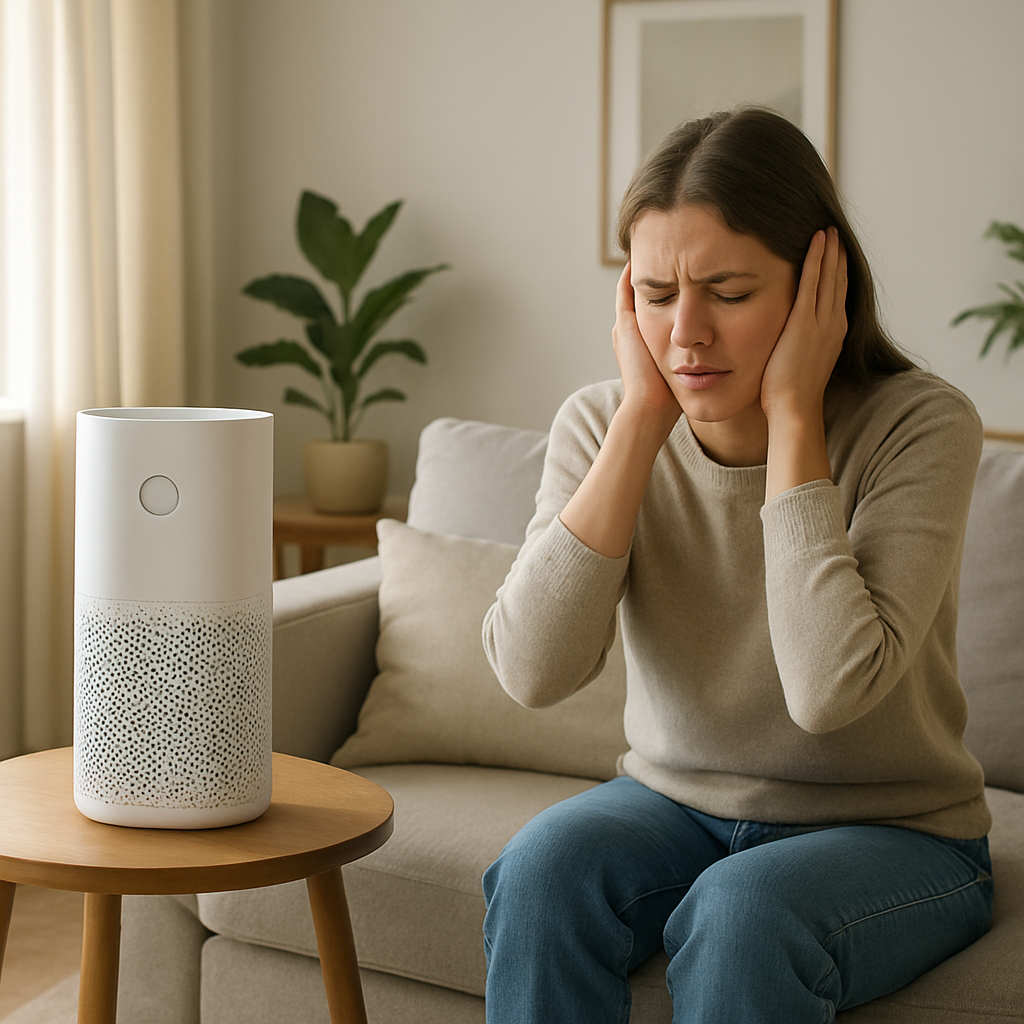
Air Purifier Making Loud Noise? Top Causes & Safe Fix Guide
Quick Answer (Most Likely Cause)
The most common reason an air purifier suddenly gets loud is vibration transfer from a loose housing, loosely seated filter, or the unit sitting unevenly, which gets amplified at high fan speed. First step: turn the unit off, place it on a hard level surface, remove and reinstall the filter and front cover firmly, then run it on low and gradually increase speed. If you smell burning, feel excessive heat, or the unit repeatedly shuts off, stop using it and unplug it.
Identify the Noise First
Correct diagnosis starts with when the noise happens and what changes it. Use these timing checks to separate vibration transfer from airflow restriction or motor issues.
Loud only on high speed: most consistent with housing resonance, loose panels, a loosely seated filter frame, or fan vibration being amplified.
Noise started right after a filter change: filter not fully seated, shipping wrap left on, cover not latched, or prefilter grille misaligned.
Noise started after moving the purifier: unit now on an uneven surface, rubber feet missing, internal dust shifted into the fan path, or a panel screw loosened.
Noise at startup then settles: a cover or filter frame vibrating until airflow stabilizes, or fan ramping briefly through a resonant speed.
Noise gets quieter if you press on the side/top cover: strong sign of loose housing or vibration transfer, not a failed motor.
Noise changes when you rotate the purifier or move it 1–2 feet: floor resonance and cabinet vibration transfer.
Whistling or whooshing that worsens with speed: airflow restriction or air leak around the filter gasket rather than a mechanical defect.
Grinding, scraping, or ticking at any speed: fan contacting debris or a worn fan bearing; stop if severe.
What This Noise Usually Means
Most loud air purifier complaints are not an electrical failure. They are a normal fan and motor noise being amplified by a loose or poorly supported structure. High fan speed increases vibration energy and airflow pressure. If the filter frame, front cover, top shell, or base is even slightly loose, the fan’s vibration transfers into the plastic housing, which acts like a speaker. The result is rattling, buzzing, drumming, or a booming hum that disappears when you hold the housing or reduce speed.
Airflow restriction can intensify this: a clogged filter forces higher pressure across the filter, increasing turbulence and causing the housing and filter door to vibrate. True electrical hum is less common; it has a steady tone that does not change much when you press on the housing, and it typically tracks motor load rather than panel fit.
Most Common Causes (Ranked by Probability)
Loose front cover or filter door not fully latched
What happens: the cover becomes a vibrating panel and resonates at certain fan speeds. Sound profile: rattling or buzzing, often worse on high. Clue: noise reduces when you press on the front cover edges or latch area.
Filter not seated squarely or wrong orientation after replacement
What happens: the filter frame vibrates and leaks air around the gasket, creating flutter. Sound profile: buzzing, flapping, or a rhythmic rattle. Clue: started immediately after filter change; filter feels loose or shifts when you tap the housing.
Shipping wrap, plastic film, or bag left on the filter
What happens: restricted airflow causes turbulence and the filter surface vibrates under suction. Sound profile: loud whoosh, whistle, or pulsing flutter. Clue: very weak airflow at the outlet; filter looks glossy or covered.
Unit is not level or is sitting on a resonant surface
What happens: one corner floats, allowing the body to rock; wood shelves and hollow furniture amplify vibration. Sound profile: drumming, buzzing, or a low booming hum. Clue: noise changes when you move it to tile/concrete or when you shim a corner with folded paper.
Rubber feet missing, hardened, or debris stuck under the base
What happens: direct plastic-to-surface contact transmits vibration into the furniture/floor. Sound profile: louder overall, often a harsh buzz. Clue: visible missing foot, wobble, or grit under the base ring.
Prefilter grille or intake panel warped or not clipped in
What happens: grille vibrates in the intake airstream, especially at high suction. Sound profile: rattling that sounds like a loose screen. Clue: noise is strongest at the intake side; tapping the grille changes the pitch.
Airflow restriction from a loaded filter or blocked intake clearance
What happens: higher static pressure increases turbulence and can make the filter door and housing vibrate. Sound profile: loud rushing air, occasional whistle; sometimes a low pulsing. Clue: reduced airflow, filter visibly gray, purifier louder than normal even on medium.
Debris contacting the fan (hair, twist-tie, paper, foam fragment)
What happens: fan blades strike or brush debris, creating repetitive ticking and vibration. Sound profile: ticking, clicking, scraping, or intermittent buzz. Clue: noise is present even on low; may change with orientation or after moving.
Fan imbalance or mechanical wear (bearing wear)
What happens: worn bearings or an imbalanced fan increases vibration that the housing amplifies. Sound profile: growl, droning hum, or rumble that increases with speed; sometimes a squeal. Clue: noise persists after reseating filters and stabilizing placement; vibration can be felt on the shell.
How to Check Safely
These steps stay within homeowner-safe limits. Unplug the purifier before handling filters or covers.
Step 1: Confirm it is vibration transfer
Place the unit on a hard, level surface. Run it on low, then medium, then high. Lightly brace one hand on the top or side panel. If the noise drops noticeably when braced, you are dealing with a fitment or vibration transfer issue.
Step 2: Reseat the filter and cover
Unplug. Remove the cover and filter. Check that the filter frame is not twisted. Reinstall in the correct direction and ensure it sits fully into guides and gaskets. Re-latch the cover evenly on all clips.
Step 3: Remove any packaging or film
Inspect the filter surfaces for plastic wrap, bags, tape, foam strips, or cardboard inserts. Any remaining wrap can cause restriction and loud turbulence.
Step 4: Check for wobble and base contact
With the unit off, gently rock it corner to corner. If it wobbles, clean the base, check feet, and move the purifier to a more rigid surface. Ensure no cords or objects are touching the housing.
Step 5: Verify intake and outlet clearance
Maintain clear space around the intake side and outlet. A blocked intake can create pressure surges that rattle panels and filters.
Step 6: Quick airflow restriction test
If your model allows it, run briefly with the prefilter removed (not the main HEPA cartridge unless the manufacturer permits). If noise drops sharply and airflow improves, restriction or an air leak around the filter is likely. Reinstall immediately after the test.
Step 7: Power reset
Unplug for 5 minutes, then restart. This can clear a control state that is forcing max fan speed, which can exaggerate vibration and noise.
Stop condition
If the purifier smells hot or electrical, shuts down repeatedly, or the noise is grinding/scraping that suggests fan contact, stop using it and unplug it.
Normal Operating Sound vs Warning Signs
✔ Normal fan airflow
Steady whoosh that increases smoothly with speed. No rattling, no cyclic ticking, and the housing does not buzz when touched.
✔ Normal motor hum (not a fault by itself)
A smooth, steady tone that tracks fan speed. It should not abruptly get louder after a filter change or after moving the unit.
✔ Normal ultrasonic vibration
Not applicable to air purifiers. If you are hearing high-frequency water-related buzzing, verify you are not diagnosing a humidifier by mistake.
✔ Normal compressor hum
Not applicable to air purifiers. If you hear a compressor-like rumble, reassess the appliance type.
Warning: rattling or buzzing from panels
Usually loose cover, loose filter frame, missing feet, or resonance from the surface. Often changes when you press on the housing.
Warning: whistling or chuffing
Air leak around the filter, blocked intake, or filter restriction. Often paired with weak airflow.
Warning: grinding, scraping, or repeated ticking
Fan contact with debris or mechanical wear. Continued operation can damage the fan or motor.
Warning: overheating smell or repeated shutdown
Stop using the purifier. This can indicate severe restriction, motor overload, or an electrical fault. Do not keep resetting and running it.
True electrical hum vs vibration amplifying motor noise
True electrical source hum tends to be steady and less affected by pressing on the cabinet; it may occur even with minimal airflow change. Vibration-amplified motor noise will usually change noticeably when you brace the housing, reseat the cover, or move the unit to a different surface.
When Professional Service Is Recommended
Loud noise persists after reseating the filter and stabilizing placement, especially if the vibration is felt strongly through the shell.
Grinding/scraping continues after checking for obvious debris at the intake and confirming the filter is installed correctly.
Repeated shutdown, overheating smell, or hot housing occurs during normal operation.
Humming but no airflow suggests a stalled fan or obstruction that is not accessible without disassembly.
Cracked housing, broken latches, or warped filter door preventing a tight seal and secure mounting.
Possible true electrical hum that is independent of cabinet pressure and does not change with bracing or placement.
How to Prevent This Problem
Reseat the filter carefully after every change and confirm the door or cover is fully latched on all sides.
Remove all packaging from filters before installation, including plastic wrap and foam spacers.
Keep the purifier on a rigid, level surface; avoid hollow side tables that amplify vibration.
Maintain intake and outlet clearance to prevent pressure turbulence that can rattle panels.
Clean the prefilter on schedule so the fan is not forced into high load and noisy turbulence.
Do not push the unit flush against walls or curtains where fabric can flutter and sound like an internal rattle.
Move the purifier carefully and re-check wobble and cover seating after relocating.
Related Air Treatment Noise Problems
Loud only on high speed but quiet on low: cabinet resonance or loose door amplified at a certain RPM.
Buzzing started right after filter replacement: filter not locked in, cover not latched, or packaging left on.
Rattling after moving the purifier: now unlevel, foot missing, or the unit is touching a wall or furniture.
Humming but no airflow: fan not turning freely, severe blockage, or failed fan drive.
Whistling at the edges of the filter door: air leak around gasket or filter frame not seated.
Ticking that repeats at a steady rate: debris contacting the fan blades.
New droning sound on all speeds: fan imbalance or bearing wear with vibration transfer to the shell.
Noise increases when placed on a shelf: surface amplifies normal vibration; move to a solid floor.
Purifier is loud but still cleans normally: typical of loose housing fitment or resonance, not necessarily a failed motor.
Sudden loudness with reduced airflow: filter restriction or blocked intake causing turbulence and panel vibration.
Conclusion
When an air purifier gets loud, the highest-probability cause is loose housing or a loosely seated filter/cover transferring normal fan vibration into the cabinet, especially at high speed. Start with safe checks: verify level placement, reseat the filter and cover, remove any packaging, and confirm airflow clearance. If you have grinding, overheating smell, repeated shutdown, or no airflow, stop and arrange service.
Frequently Asked Questions
Is it safe to run my air purifier if it is rattling?
If it is a light rattle that stops when you reseat the cover/filter or stabilize the unit, it is typically a vibration transfer issue and is safe to correct. If the sound is grinding, scraping, or accompanied by overheating smell or repeated shutdown, unplug it and do not continue running it.
Why did my purifier get louder right after I changed the filter?
Most commonly the filter is not fully seated, the cover is not latched evenly, or packaging was left on the filter. Reinstall the filter in the correct orientation, ensure it sits in guides, and latch the door firmly. A sudden whistle often indicates an air leak around the filter gasket.
Can a clogged filter cause a loud buzzing or booming noise?
Yes. Restriction increases suction and turbulence, which can make the filter door, grille, or housing vibrate. Expect reduced airflow at the outlet and louder whooshing. Cleaning the prefilter and replacing the main filter on schedule prevents this load.
How do I tell true electrical hum from vibration noise?
Vibration-amplified noise usually changes when you press on the housing, reseat the cover, or move the unit to a different surface. A true electrical source hum is steadier and less affected by bracing the cabinet. If the unit also runs hot, smells electrical, or shuts off, stop using it and get service.
What does professional repair typically cost, and when is replacement smarter?
Loose panels, feet, and seating issues are usually no-cost fixes. If a technician confirms fan motor or bearing wear, the repair cost depends on part availability and labor; small consumer purifiers are often replaced if the fan motor is not economical or the housing mounts are damaged. If the unit is still within warranty and the noise persists after the seating checks, warranty service is typically the best route.
All that’s left is the settling—like putting down a bag you’ve carried too long and realizing your shoulders are finally back where they belong. The noise fades, and the whole thing stops feeling strangely bigger than it is.
There’s a calm in that. Not dramatic, not cinematic—just the kind that lets the day move on without asking for extra attention.