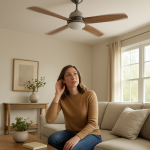
Ceiling Fan Clicking Noise? Common Causes & Quick Fix Guide
Quick Answer (Most Likely Cause)
A rhythmic clicking that matches each blade rotation is most often caused by a slightly loose blade, loose blade arm, or a blade arm that’s bent just enough to tap the motor housing or a screw head once per revolution. First action: turn the fan off, wait for it to stop, then tighten blade-to-arm and arm-to-motor screws and check for blade contact points. If the fan wobbles hard or the ceiling box moves, stop and schedule a technician.
Identify the Noise First
On startup: A click right as the fan begins moving often points to a blade arm shifting under load or a loose screw settling into position.
Steady running: A consistent click at regular intervals (once or twice per rotation) strongly suggests rhythmic contact from an imbalanced blade or loose/blown-out blade arm mounting.
High speed only: Clicking that appears at higher speeds usually indicates increased blade flex, causing a blade tip or arm to lightly strike a shroud, light kit, or protruding fastener.
Intermittent: A click that comes and goes can be a blade that changes pitch slightly as it warms up, or a screw that’s almost tight but not fully seated.
After installation: Very common: blade screws not fully tightened, blade arms not evenly seated, or shipping/handling slightly bending an arm.
After cleaning: Often due to a blade arm being bumped out of alignment or a blade being reinstalled with hardware swapped between positions.
Speed-specific resonance: If it clicks only at one speed, look for a blade arm that vibrates into contact at that RPM, not a motor failure.
Structural vibration check: If the click is accompanied by a shake you can feel in the downrod or ceiling, address mounting tightness and blade assembly alignment before suspecting the motor.
What This Noise Usually Means
A clicking ceiling fan that repeats with rotation is usually a mechanical “tap” created when one blade assembly sits slightly lower, looser, or at a different pitch than the others. As that blade passes the same point each revolution, it can momentarily touch something fixed (motor housing, light kit fitter, switch housing, decorative trim) or it can “snap” at the blade arm joint due to movement in a loose fastener. The sound is rhythmic because the interference happens at the same angular position every cycle.
Most Common Causes (Ranked by Probability)
Loose blade-to-blade arm screws
What happens: The blade shifts slightly on the arm with centrifugal force.
Symptom clue: Click frequency matches blade rotation; often worse on high speed.
Why it clicks: The blade slips and resets against the screw/slot once per revolution, creating a repeating tap.
Loose blade arm-to-motor screws
What happens: The entire arm moves minutely under load.
Symptom clue: You may see one arm “lag” or the fan wobbles more than usual.
Why it clicks: The arm rocks and lightly contacts the motor housing or the screw heads seat and unseat under cyclic load.
Bent blade arm causing rhythmic contact
What happens: One arm sits slightly lower or closer to the housing/light kit.
Symptom clue: Clicking starts after cleaning, a minor bump, or a new installation.
Why it clicks: The bent arm brings the blade path into contact with a fixed part at the same point each rotation.
Blade imbalance creating periodic flex
What happens: A heavier blade droops outward and flexes more at speed.
Symptom clue: Wobble plus a click that appears mainly on medium/high.
Why it clicks: The flexing blade tip or bracket grazes trim, a screw head, or the light kit rim once per revolution.
Wrong screw length or protruding fastener in the blade assembly
What happens: A too-long screw sticks out below the arm or blade.
Symptom clue: Clicking began right after replacing blades or hardware.
Why it clicks: The protruding screw head/tip strikes the switch housing, decorative ring, or another component at a consistent point in the rotation.
Blade warped or swollen (humidity/age) changing clearance
What happens: A blade bows up or down along its length.
Symptom clue: Click may vary by season or after a period of non-use.
Why it clicks: The warped blade’s lowest point intermittently touches a shroud/light kit or causes arm movement that “ticks” at the joint.
Light kit or switch housing slightly misaligned and being tapped by a blade arm
What happens: The housing hangs off-center or a trim ring sits proud.
Symptom clue: Click is sharper near the bottom of the fan; may disappear with the light kit removed by a technician.
Why it clicks: One passing arm contacts the mispositioned housing/trim at the same location each revolution.
Mixed blade arms or blades from different sets
What happens: Geometry or weight differs between positions.
Symptom clue: Clicking appears after partial replacement or using “close enough” parts.
Why it clicks: Uneven pitch/length shifts the blade path so one position periodically hits or snaps at the mounting joint.
How to Check Safely Before Calling for Service
Turn power off and wait for a full stop before touching blades or hardware. Use the wall switch and pull chain; if you’re unsure which controls it, turn off the breaker.
Confirm the click matches rotation by watching one blade tip against a fixed reference point on the ceiling; note if the click occurs when the same blade passes.
Check for visible clearance issues between blade arms and the motor housing, light kit, pull chains, and any decorative trim rings.
Tighten blade-to-arm screws with the correct screwdriver, snugging evenly. If a screw spins without tightening, the hole may be stripped and the blade/arm may need replacement.
Tighten blade arm-to-motor screws (each arm). Uneven tightness can create a repeating tick as the arm shifts under load.
Look for a bent blade arm by sighting across blade tips from the side; one blade sitting noticeably higher or lower is a strong indicator.
Check for a protruding screw under the blade or arm that could clip the switch housing or trim. Do not substitute random screws; match the original length and thread type.
Do a simple blade swap test: move the suspected blade (and its arm if they stay paired) to another position. If the click “moves” with it, you’ve isolated the assembly causing the contact.
Use a balancing kit if wobble is present and the clicking is worse at speed. Apply weights per the kit instructions to reduce flex-related contact.
Check the ceiling canopy for vibration transfer by lightly steadying the canopy (fan running on low only). If overall vibration changes dramatically, mounting may be amplifying the issue and a technician should verify the fan-rated box and mounting bracket tightness.
Inspect for cracked blade holders (blade arms) around the screw holes. Hairline cracking can allow movement that clicks under rotation; replacement is typically the correct repair.
Normal Operating Sound vs Warning Signs
Usually normal: A faint, steady “whoosh” of air and a low, consistent motor sound that does not change with each rotation.
Likely needs adjustment: A click that is new, repeatable, and tied to blade position, especially if it began after installation, cleaning, or a blade replacement.
Service soon: Clicking that is getting louder over days/weeks, or clicking plus increasing wobble, usually indicates loosening hardware, a bending arm, or mounting shift that should be corrected before parts wear further.
Stop and inspect: Strong shaking in the downrod/ceiling, speed instability, or the fan appearing to “walk” at the canopy suggests mounting or blade arm integrity problems that can worsen with use.
Stop and call a technician: Any burning smell, heat at the switch housing, or electrical buzzing/humming that isn’t airflow-related. Clicking alone is typically mechanical, but those additional signs are not.
When Professional Service Is Recommended
The ceiling canopy or mounting bracket seems loose, the fan rocks at the ceiling, or you suspect the fan is not mounted to a fan-rated box.
Blade arm screws won’t tighten (stripped threads), arms are cracked, or the motor mounting holes appear damaged.
Clicking persists after tightening and basic balancing, especially if a blade arm appears bent and replacement parts need correct matching.
The fan includes a light kit and you can’t clearly confirm what’s being contacted without removing components. A technician can realign or service the assembly without risking wiring damage.
You hear clicking plus speed surging, erratic operation, or any electrical symptoms that could involve the control module or switch housing.
How to Prevent This Problem
Re-torque after the first week: New installations often settle; recheck blade and blade arm screws after several days of use.
Clean without pushing on blade arms: Support the blade near the arm when wiping to avoid bending the bracket.
Keep hardware matched: Use manufacturer screws and keep each blade/arm set together to maintain alignment and weight consistency.
Balance when you notice wobble early: Reducing wobble reduces flex that can create contact-related clicks.
Avoid overtightening into soft materials: Stripped blade holes lead to recurring loosening and movement noises.
Check clearance after any accessory change: New bulbs, shades, or trim can alter what a blade arm passes near.
Use the correct mounting: Ensure installation is on a fan-rated box and secure bracket so normal vibration doesn’t amplify into audible clicking.
Related Fan & Ventilation Noise Problems
Ceiling fan ticking that only happens on one speed
Ceiling fan clicking after replacing a light kit or glass shade
Ceiling fan wobble with no clicking (balancing-only issue)
Ceiling fan rattling at the canopy (mounting bracket vibration transfer)
Ceiling fan scraping sound (blade contacting housing or trim)
Ceiling fan squeaking that changes with speed (different from clicking contact)
Ceiling fan humming from the switch housing (electrical, not blade contact)
Ceiling fan thumping sound (blade pitch mismatch or warped blade)
Ceiling fan grinding noise (internal wear rather than blade/arm contact)
Ceiling fan pull chain tapping a glass shade (often mistaken for blade clicking)
Ceiling fan clicking only with the light on (light kit alignment vs blade arm path)
Ceiling fan vibration transferred into ceiling drywall (mounting amplification)
Conclusion
A ceiling fan clicking noise that repeats with each rotation is most commonly a loose blade, loose blade arm, or a slightly bent arm creating a consistent contact point. Tightening the blade and blade arm screws and checking clearances solves many cases quickly. If the fan is wobbling heavily or the ceiling mounting feels loose, schedule a professional inspection to verify secure mounting to a fan-rated box and correct assembly alignment.
Frequently Asked Questions
Is it safe to run a ceiling fan that’s clicking once per rotation?
If the fan is stable and the click is light, it’s usually a mechanical contact or loose hardware issue, not an immediate electrical hazard. However, continued operation can enlarge screw holes, crack blade arms, or worsen wobble. Turn it off and tighten/check the blade and blade arm hardware; if the ceiling mounting moves or wobble is strong, stop and book a technician.
What does a ceiling fan clicking noise usually cost to fix?
Many clicking problems are resolved with tightening and balancing at no parts cost. If a blade arm is bent or cracked, replacement blade arms are a common, affordable repair but pricing varies by model and finish. Professional service cost typically depends on access, ceiling height, and whether parts must be sourced; expect higher costs when a tech must verify mounting and correct alignment on a high ceiling.
Can I temporarily stop the clicking without replacing parts?
You can often reduce or stop clicking by tightening blade-to-arm and arm-to-motor screws evenly and ensuring pull chains or trim pieces aren’t in the blade path. If the click is caused by a bent or cracked blade arm, tightening may help briefly but the noise usually returns; replacement is the reliable fix.
How do I tell blade clicking from an electrical hum?
Blade-related clicking is rhythmic and synchronized to blade rotation, often changing with wobble and speed. Electrical hum is steadier, more “tonal,” and may occur even when the blades aren’t the main factor. If you have clicking plus speed surging, hot smell, or buzzing from the switch housing, stop and have a technician inspect the controls and wiring.
Do I need to replace the whole ceiling fan if it’s clicking?
Usually not. Most rotation-synced clicks trace to blade screws, blade arms, or minor alignment issues and are repairable. Full replacement becomes more likely if the correct blade arms are unavailable, the motor housing or mounting points are damaged, or repeated loosening has stripped multiple attachment points.
Why did the clicking start right after installation?
Installation-related clicking is commonly from blade screws not fully seated, blade arms tightened unevenly, or one arm slightly bent during handling. Rechecking screw tightness after a short break-in period and confirming equal blade tip height typically resolves it. If the ceiling bracket or box shifts, have a professional verify a fan-rated box and secure mounting.
There’s a kind of relief in watching the noise thin out, like the last sticky note finally gets peeled off the fridge. The issue stops taking up mental shelf space, and what’s left feels oddly straightforward.
Not everything becomes perfect overnight, but the day-to-day friction loosens its grip. You can move forward without constantly recalculating, and that small shift is bigger than it sounds.