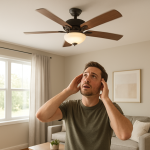
Ceiling Fan Loud On High Speed? Causes & Safe Fixes
Quick Answer (Most Likely Cause)
If your ceiling fan gets loud only on high speed, the most likely cause is aerodynamic blade noise or a slight blade imbalance that becomes amplified at higher RPM. Start by cleaning the blades, then check blade screws and blade irons for looseness and confirm all blades sit at the same height. If the fan wobbles hard, shakes the ceiling, or the mounting feels loose, stop using it and schedule a technician to inspect the mounting and rated fan box.
Identify the Noise First
Matching the sound to when it happens is the fastest way to separate blade/airflow noise from mounting vibration or motor hum.
At startup only: brief “whoosh” is normal; a repeated tick or scrape points to a blade hitting something or a loose part shifting under load.
Steady running at all speeds: look for a constant hum (electrical/motor) or a repetitive clicking (hardware). Pure wind “roar” that scales with speed is usually blade aerodynamics.
Mostly on high speed: classic for aerodynamic turbulence, blade pitch mismatch, or small imbalance that becomes noticeable as RPM climbs.
Intermittent (comes and goes): blade screws backing out, a loose light kit finial, or a pull chain tapping the housing as airflow changes.
Right after installation: common if blades weren’t matched/tightened evenly, blade irons were slightly bent in shipping, or the downrod/canopy is vibrating against the bracket.
Right after cleaning: often caused by a blade installed in a different position, a missing rubber/metal washer, or residue/wax changing airflow off one blade.
Speed-specific resonance: a “booming” or ceiling buzz that appears at one speed suggests the fan’s vibration is exciting the mounting/bracket/box or a nearby grille/fixture.
Structural vibration (felt in ceiling): not just blade noise; it’s vibration transfer. Don’t keep running it on high until mounting and balance are verified.
What This Noise Usually Means
On high speed, ceiling fan blades move fast enough that small differences in blade angle, alignment, or surface condition create big changes in airflow. When one blade produces slightly more lift or drag than the others, the fan alternates between “pushing” and “pulling” each rotation. That creates turbulence (a louder whoosh/roar) and/or a repeating vibration that can turn into a buzz or rattle as the vibration transfers into the blade irons, motor housing, downrod, canopy, and ceiling junction box. The faster the RPM, the more the noise is amplified.
Most Common Causes (Ranked by Probability)
Dirty blades changing the airflow (dust buildup or residue)
What happens: dust thickens the leading edge and changes the blade’s aerodynamic profile.
Symptom clue: louder “whoosh” on high; noise improves after cleaning.
Why it creates this noise: uneven drag and disturbed airflow increases turbulence and can introduce a small imbalance.
Loose blade screws or blade-to-iron hardware
What happens: blade shifts microscopically under load at higher RPM.
Symptom clue: rhythmic ticking/rattle that appears mostly on high; may vary by direction.
Why it creates this noise: movement changes blade pitch moment-to-moment, creating pulsing airflow and vibration.
Blade height mismatch (one blade sits higher or lower)
What happens: one blade runs in a different plane.
Symptom clue: slight wobble that becomes obvious on high; “thump” once per revolution.
Why it creates this noise: the fan becomes dynamically unbalanced; at high RPM the imbalance excites the mount and housing.
Slightly bent blade iron (blade bracket) from shipping or overtightening
What happens: bracket angle changes blade pitch and tracking.
Symptom clue: one blade consistently looks out of plane; balancing kit only partially helps.
Why it creates this noise: incorrect pitch increases turbulence and creates an imbalance that grows with speed.
Blade set mismatch (mixed blades, wrong blade orientation, or warped blade)
What happens: one blade produces different lift/drag than the rest.
Symptom clue: noise started after replacing a blade or flipping blades to the opposite side; wobble persists even after tightening.
Why it creates this noise: unequal aerodynamic loading causes pulsing airflow and vibration, most audible on high.
Downrod/canopy vibration being triggered by small imbalance
What happens: a minor blade issue creates vibration that the canopy or downrod amplifies.
Symptom clue: buzzing near the ceiling; noise changes if you lightly press the canopy (fan off before touching).
Why it creates this noise: resonance turns modest imbalance into loud structure-borne noise, especially at high RPM.
Fan too close to a ceiling feature (beam, soffit, sloped transition) causing turbulence
What happens: airflow hits nearby surfaces and recirculates.
Symptom clue: “roar” or “chop” sound; strongest on high and in one direction of rotation.
Why it creates this noise: disrupted airflow creates pressure pulses and audible turbulence.
Balance weights missing or never installed correctly (minor dynamic imbalance)
What happens: fan is slightly out of balance from the factory or after blade removal.
Symptom clue: wobble is modest on low but becomes loud on high; no obvious loose parts.
Why it creates this noise: high RPM magnifies centrifugal forces from small weight differences.
How to Check Safely Before Calling for Service
Turn the fan off and let it fully stop before touching anything. Use a stable ladder and good lighting.
Clean all blades equally (top and bottom). Remove heavy dust lines near the leading edge; avoid leaving residue that could make one blade “stickier” than others.
Verify every blade screw is snug (blade-to-iron and iron-to-motor if accessible without disassembly). Don’t overtighten and strip threads.
Check blade orientation so all blades are installed the same way (matching side up/down per the manufacturer).
Look for blade cracks, warping, or water damage. A warped blade is a common high-speed noise trigger and often needs replacement.
Check blade tracking (height) by measuring from the tip of each blade to the ceiling. A difference suggests a bent blade iron or uneven mounting point.
Inspect blade irons visually for bends or twists. If one looks off, it may need replacement rather than “bending back.”
Confirm nothing is in the airflow path (pull chain hitting, loose light kit glass, decorative finial, or a nearby smoke detector cover vibrating).
Test speeds systematically: run low, medium, then high for 30–60 seconds each. Note if one speed is dramatically worse (resonance clue).
Use a basic balancing kit (clip and stick-on weights) following the instructions. This is appropriate when the fan is secure but wobbles or pulses on high.
Check for mounting vibration transfer by observing the canopy and downrod while it runs (hands off). If the ceiling area visibly vibrates, schedule a technician to verify a fan-rated box and secure mounting.
Normal Operating Sound vs Warning Signs
Normal: smooth, steady airflow “whoosh” that increases with speed but does not include rattling, ticking, or ceiling buzz.
Normal: very slight wobble that doesn’t grow on high and doesn’t shake the canopy.
Warning: a new noise that started suddenly after being quiet for months (often a screw backing out or a blade issue).
Warning: noise that gets louder over days/weeks (hardware loosening or tracking worsening).
Warning: performance change (reduced airflow, new pulsing breeze, or the fan “sounds strained” only on high) suggesting aerodynamic mismatch or a developing imbalance.
Warning: noticeable vibration transmitted into the ceiling, light fixture, or adjacent vent grille, especially if it’s speed-specific.
Stop and get service: speed instability, surging, or a smell of overheating/burning. That’s not blade noise and should be evaluated by a qualified technician.
When Professional Service Is Recommended
Mounting concerns: canopy movement, ceiling vibration, or any doubt the fan is installed on a fan-rated box or properly secured bracket.
Persistent wobble/noise after basic balancing: suggests bent blade irons, mismatched blades, or installation alignment issues best handled with parts replacement and verification.
Electrical symptoms: speed surging, humming that is not airflow-related, hot odor, or a fan that slows down unexpectedly.
High ceilings or difficult access: safe ladder work and torque checks are often worth a service call.
Ask the technician to inspect blade tracking, blade iron condition, mounting security, and confirm the ceiling box is fan-rated. These checks directly address high-speed noise amplification.
How to Prevent This Problem
Clean blades regularly so buildup doesn’t change blade aerodynamics or create uneven drag.
Re-snug blade screws seasonally (especially after heavy use). Vibration can loosen hardware over time.
Keep blade sets matched; replace blades as a set when possible to maintain equal weight and pitch.
Use the correct downrod length recommended by the manufacturer to reduce turbulence near the ceiling and improve airflow stability.
Avoid installing too close to obstructions like soffits, beams, or sloped transitions that can cause turbulence and “chop” noise.
Balance after any blade removal (painting, cleaning, or swapping sides) to prevent high-speed wobble.
Confirm fan-rated mounting during installation to prevent minor imbalance from becoming a ceiling buzz or rattle.
Related Fan & Ventilation Noise Problems
Ceiling fan clicks once per revolution (often a loose blade screw or blade iron)
Ceiling fan wobble that gets worse on high (tracking or imbalance)
Ceiling fan canopy buzzing at one specific speed (resonance/vibration transfer)
Ceiling fan ticking after installing a light kit (loose shade hardware or pull chain tapping)
Ceiling fan makes a “chopping” sound near a sloped ceiling (air turbulence)
Ceiling fan hums electrically but doesn’t wobble (motor or control-related, not blade noise)
Ceiling fan rattles only in reverse direction (hardware play or blade pitch differences)
Ceiling fan gets louder after blade cleaning (blade swapped positions or missing washer)
Ceiling fan vibrates the room but blades look clean (mounting amplification)
Bathroom exhaust fan rattles in the housing (different system; can sound similar to fan vibration transfer)
Kitchen range hood “roars” on high (airflow turbulence; different system but similar symptom language)
Ceiling fan whooshing that suddenly started (blade warp, buildup, or tracking shift)
Conclusion
A ceiling fan that’s loud on high speed is most often dealing with aerodynamic blade noise or a small imbalance that only becomes obvious at higher RPM. Cleaning the blades, tightening blade hardware, and checking blade tracking resolve many cases without parts replacement. If the fan shakes the ceiling, the canopy vibrates, or balancing doesn’t help, schedule a professional inspection to verify mounting security and correct any bent blade irons or mismatched blades.
Frequently Asked Questions
Is it safe to run a ceiling fan on high if it’s loud but not wobbling?
If the sound is a smooth airflow “whoosh” with no rattling and no ceiling vibration, it’s often just aerodynamic noise. If the noise is new, sharp (ticking/rattling), or you feel vibration in the ceiling or downrod, avoid high speed until you’ve checked blade screws, blade tracking, and mounting stability.
Can a balancing kit fix loud wind noise on high speed?
A balancing kit helps when the noise is tied to wobble or a repeating vibration (imbalance). It usually won’t fix pure turbulence noise caused by dirty blades, warped blades, incorrect blade orientation, or the fan being too close to nearby ceiling features. Many “loud on high” complaints are a mix of imbalance and turbulence, so cleaning and tracking checks should come first.
What’s a realistic repair cost for a ceiling fan that’s loud on high?
Many fixes are low-cost: cleaning, tightening, and balancing. If parts are needed, blade irons or a blade set are common replacements. If a technician visit is required, cost depends on ceiling height, access, whether the fan must be re-mounted, and if a fan-rated box or bracket correction is needed.
Is the noise more likely electrical hum or blade noise?
Blade noise is usually a “whoosh/roar” that scales with speed and may come with wobble. Electrical hum tends to be a steadier tone that can be noticeable even without wobble and sometimes varies with the dimmer/wall control. If your complaint is specifically “loud on high speed,” blades/imbalance and vibration transfer are statistically more common than an electrical issue, but speed instability or overheating odor warrants professional evaluation.
Is there a temporary fix to quiet it down tonight?
Use a lower speed setting and make sure any pull chain or light kit parts aren’t tapping the housing. If you can safely do so with the fan off and stable ladder access, lightly snug visible blade screws and remove heavy dust buildup. Avoid makeshift tape or bending brackets; those can create new imbalance.
Do I need to replace the whole fan if it’s loud only on high?
Not usually. Many high-speed noise cases are corrected by cleaning, tightening, blade tracking adjustments via blade iron replacement, or balancing. Replacement becomes more likely if blades are warped and replacements aren’t available, the fan can’t be balanced without persistent wobble, or the mounting system can’t be made stable without significant rework.
Relief doesn’t always arrive with fireworks. Sometimes it’s just the feeling that the noise finally stops, and the page feels less like a riddle.
Nothing about the world changes overnight, of course, but the pressure eases. That’s the real win—small, steady, and easy to miss until it’s already there.